Digital screen chargers turn a routine pause into a possible brand touchpoint. In a hotel lobby, a guest plugs in a phone and sees a concise offer beside the charging port. At an event, the same screen can display a sponsor message, product demo, or wayfinding prompt. That is the practical starting point for asking, “what role do digital screen chargers play in marketing?” They can connect physical placement with timely, location-specific communication. They may also support campaigns with impressions, interactions, or QR scans when devices provide reliable reporting. Numbers need context. A screen view is not the same as attention, trust, or a sale.
Seth Godin, a marketing author and entrepreneur, has said, “Marketing is no longer about the stuff that you make, but about the stories you tell.” His point applies broadly, not specifically to charging hardware. The screen is a small stage; the message still needs relevance, clarity, and restraint. Small details matter. Readable type, sensible brightness, dependable charging, and a clear next step shape the experience. A poorly timed ad can feel intrusive. Some campaigns will miss. This guide examines leading digital screen chargers in 2026, comparing display quality, charging performance, content controls, connectivity, and measurement options. It also considers where each device fits: retail counters, hotels, airports, or live events. Buyers should verify specifications and reporting claims with vendors before committing. The technology is useful, but not magic.
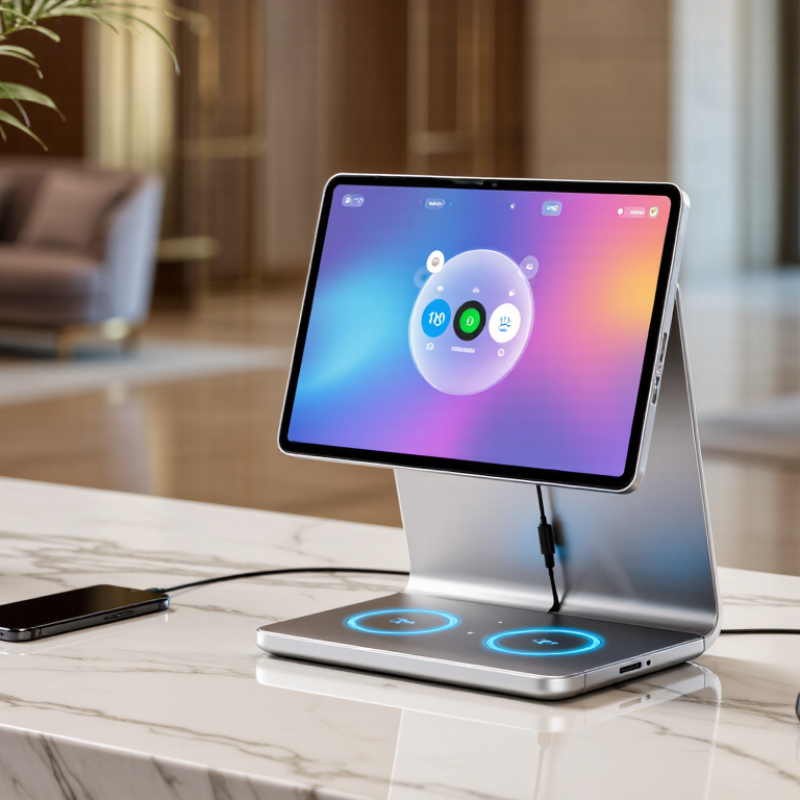
A digital screen charger is a power adapter or portable battery with a small display that reports charging information. Depending on its design, the screen may show remaining battery capacity, output power, voltage, or current. Inside, control circuits convert incoming power and regulate delivery to a connected device. Compatible devices and chargers may also negotiate a suitable power level through the cable. The display makes this process easier to observe, but its readings are not a perfect measurement of battery health or charging time.
At a desk, the screen might show a phone drawing more power when its battery is low, then less as charging continues. Numbers can also shift when the phone warms up, runs an app, or uses a different cable. Small display, useful signal. Still, percentages and time estimates are usually approximations; conversion losses and changing device demands affect them. A brief glance can help users notice whether power is flowing, yet it cannot explain every slow charge. Check the charger’s stated output and the device’s requirements before judging its performance. The screen is a helpful window, not the whole story.
They pair a useful charging stop with a brief message. Visitors may notice a product feature, local offer, or event while plugging in.
Show one clear message and one call to action per slide. Large text and strong contrast help people read it from several steps away.
A café might show a lunch offer or local event. A hotel lobby could display check-in information. Keep practical details easy to find.
Keep it brief. Visitors may glance at the screen for only a few seconds, so crowded slides are easy to miss.
Review screen uptime and offer visits when measurement is available. These figures are imperfect; a visit does not prove the screen caused it.
Cables can tangle, screens collect fingerprints, and updates take time. A forgotten cleaning routine can make a polished display look neglected.
Consider the space first. Busy transport areas need durable cables, simple cleaning, and enough ports. A lobby needs readable text, low glare, and a stable unit.
Not always. Test a small pilot before expanding. I might still question the screen’s value where visitors rarely pause or staff cannot maintain it.
Digital screen chargers combine convenient device charging with a built-in display that can present useful information, messages, or promotional content. They typically connect to a power source and provide charging through wired or wireless options, while their screens may support different sizes, content formats, and connectivity methods. In 2026, common types range from compact personal chargers to shared charging stations designed for public spaces and workplaces.
To understand what role do digital screen chargers play in marketing, consider how they can deliver timely, location-relevant messages while people charge their devices. Their displays may introduce services, share event details, or highlight offers, making charging areas an additional communication touchpoint. Choosing a charger involves balancing charging capacity, screen visibility, connectivity, durability, and the needs of the setting. Thoughtful placement and suitable content can help make these devices both practical charging solutions and useful tools for engaging an audience.

 LA Charger